
Demo: Oracle GoldenGate Deployment Provisioning with ServiceNow
Hyper-automation of an IT enterprise is achieved by two means:
Incidents should be auto-resolved, from error detection, resolution, all the way to knowledge repository update.
Change Requests should be run by end-users because only they know WHAT needs to be done, though at a very high, non-technical level. Here is an example: "I need this data flow over there, because we are onboarding a new merchant". The technical part - the HOW it must be done - should be handled by automation.
Either way, be it a ServiceNow Incident or a Change Request, no technical person should be involved in the error resolution or change delivery process. The extent of an admin's involvement is limited to designing the logic; that is all.
The following 30-second video explains how closed-loop hyper-automation works.
Closed-loop vs open-loop automation
In my previous demo,The Immortal Oracle GoldenGate (or Breaking the Unbreakable),I showed how quickly Oracle GoldenGate resolves its own ServiceNow incidents through hyper-automation. I deleted trails, even dropped the parameter files - all catastrophic failures - but each time GoldenGate managed to determine what went wrong and fix itself in just minutes, opening, approving, executing incidents, change requests, and tasks along the way. No human intervention at all in that demo, of course.
These are the technologies that made that unattended self-healing possible:
This demo addresses a different aspect of GoldenGate hyper-automation: IT asset changes. They are tracked in the IT world through a ticketing system, such as ServiceNow. Conventionally, after opening a Change Request, it is routed, assigned, approved, executed, and so on. In the context of hyper-automation, however, all these steps are scripted in advance. The following outlines the tools for today's demonstration.
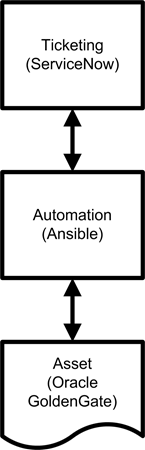
Quite simply, ServiceNow tells WHAT has to be done; Ansible - HOW to do it, and GoldenGate is WHERE the change will take place.
Today, we are adding a new Oracle GoldenGate deployment. The hyper-automated way. Without lifting a finger.
1. Opening a ServiceNow change request
Change Requests can be opened either by a person or an automation workflow, such as an Incident resolution workflow. I demo-ed OGG Incident automation in the prior article. This time, we open a Change Request manually, in a familiar ServiceNow web interface. But instead of a DBA, an automation software will execute it.
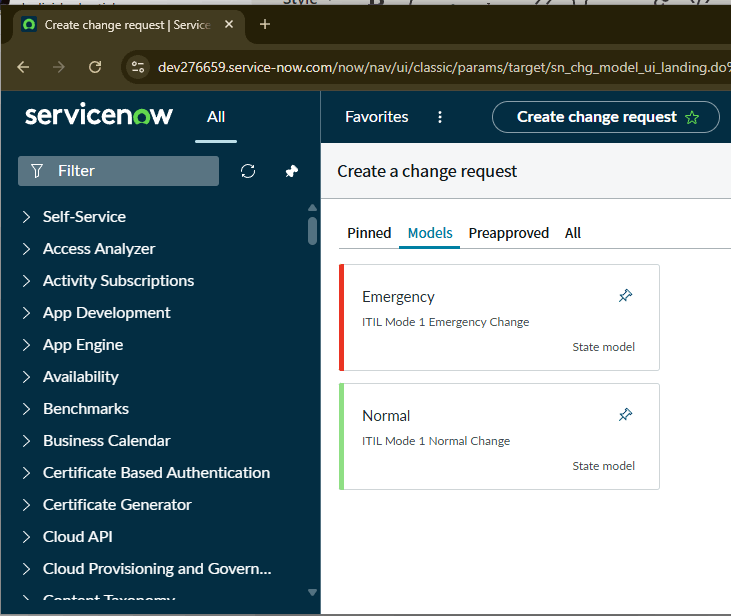
Let's choose the "Normal" CR option. The next window gives us a choice of pre-created GoldenGate templates.
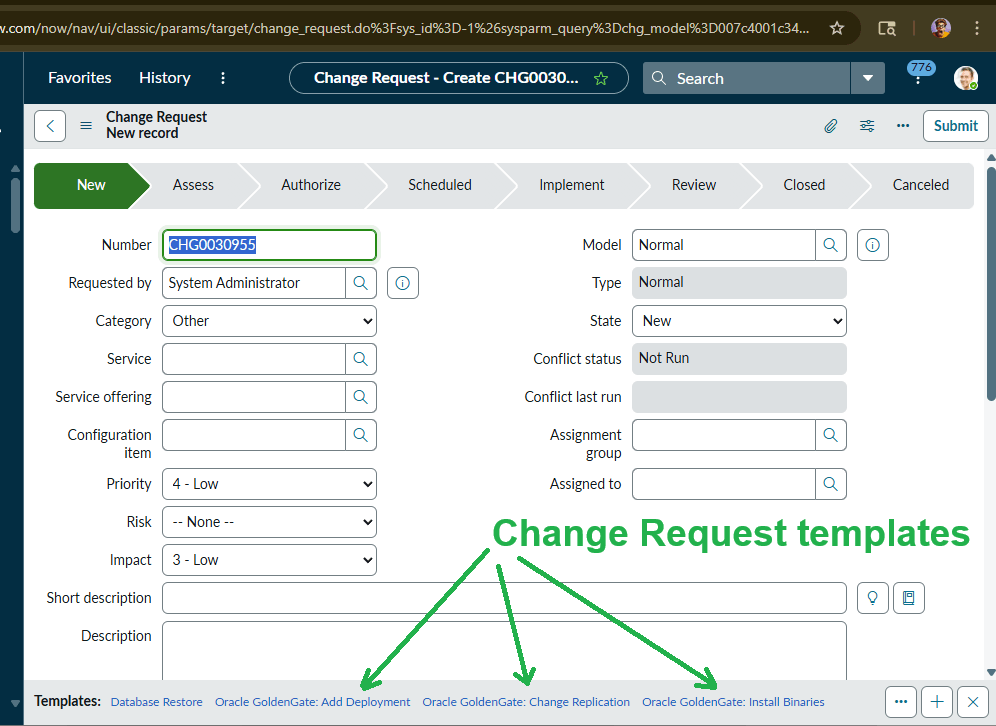
Let's take a better look at the GoldenGate-related Change Request templates:
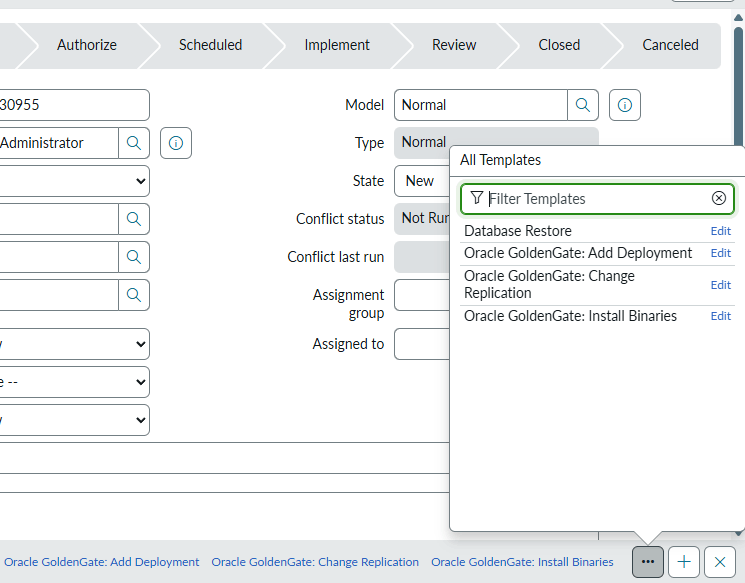
As you can see, there are several OGG Change Request templates, one for each commonly requested task. In a conventionally automated IT shop, you pick a template, for example, "Oracle GoldenGate: Add Deployment", populate an actual CR form from it, and the request gets routed to an Oracle DBA. In a hyper-automated shop, however, productivity is higher. A person doesn't actually DO the work. A person only writes instructions for the computers to do it, instead, and then the computers take that responsibility over.
Let's click on the "Oracle GoldenGate: Add Deployment" template. That is what we aim to do, remember? The blank CR form is immediately auto-populated with the required entries. Well, not all the entries. Here is what is missing before hyper-automation takes over: the run-time parameters.
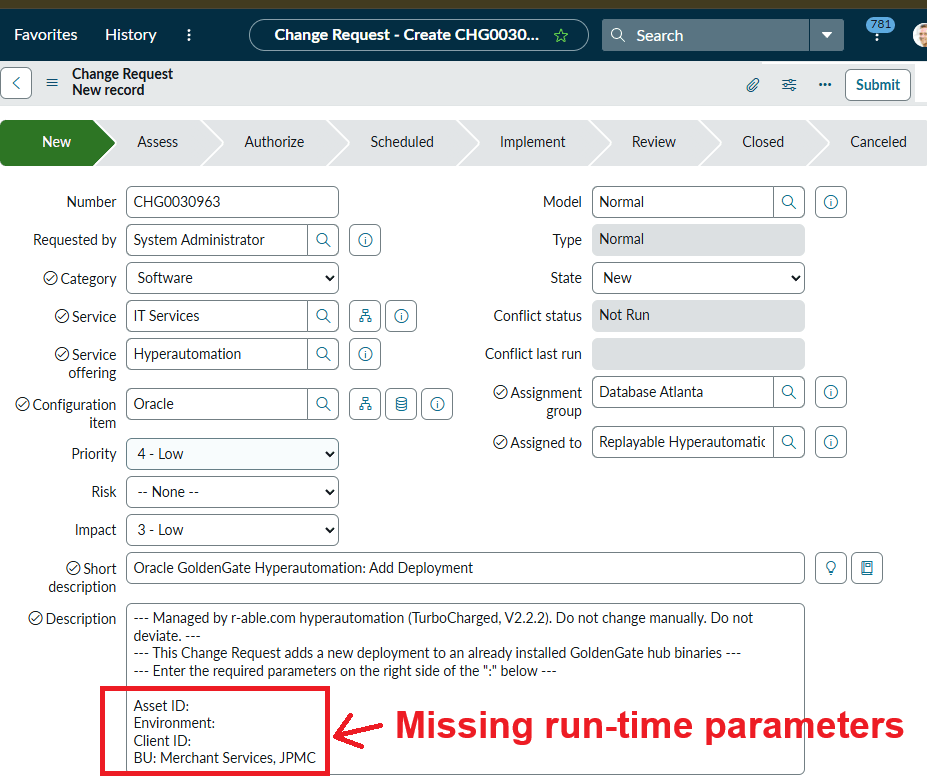
So far, we have told Oracle GoldenGate WHAT we want it to do: "add a new deployment to an already existing binaries or a cloud service". But we have not given it the details (WHERE, HOW, and WHEN to do this). Let's correct that now.
The "Asset ID" is the unique identifier for an already created GoldenGate binaries location or cloud service.
The "Environment" is PROD, so automation knows to use the secure parameters, such as network and trail encryption.
The "Client ID" is "CBOE Global Markets" (the Chicago Board of Option Exchange). This tells the automation engine (Ansible) which data needs to be replicated, from which source to which target.
The last parameter is the "BU" (Business Unit). That is a fixed value (JP Morgan Chase, in this demo).
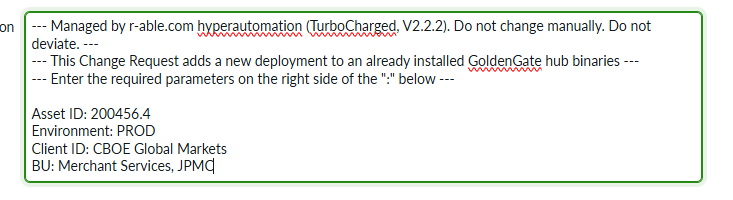
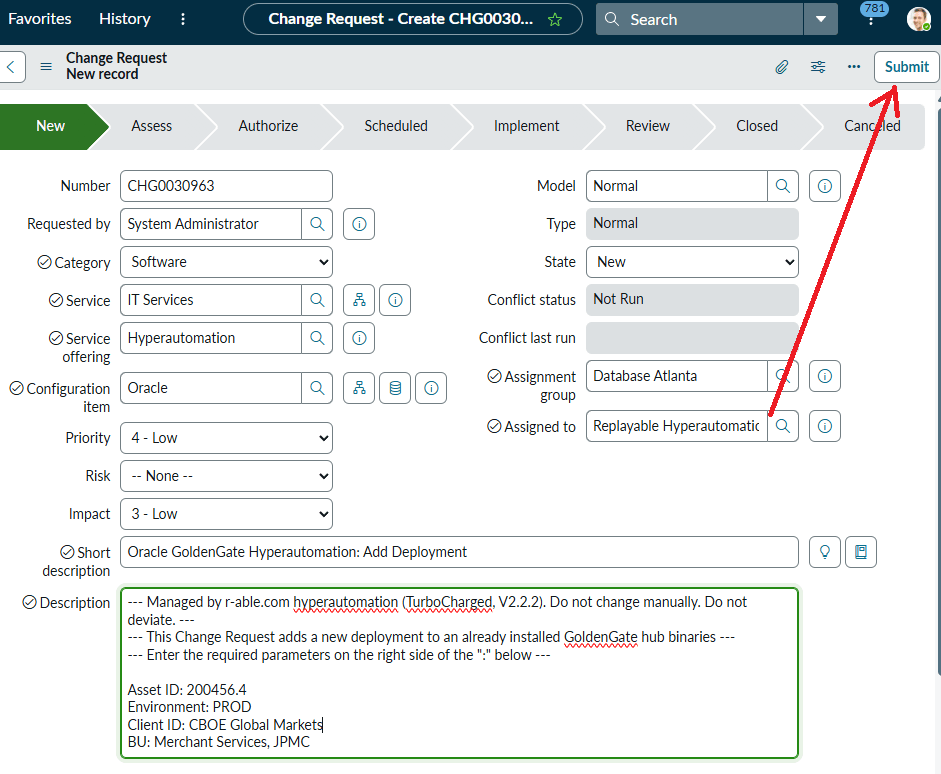
Now ServiceNow has all the information to execute the request. Note that a DBA has not been involved in this process and will remain absent throughout. Moreover, we didn't even enter the boring stuff in the Change Request, like the "Category", "Service", and so on. We didn't even have to assign it to a person. The automation assigned it to itself. Automatically!
We are now ready to submit the request.
2. Ansible automation control node prepares the dynamic scripts for the immediate Change Request delivery
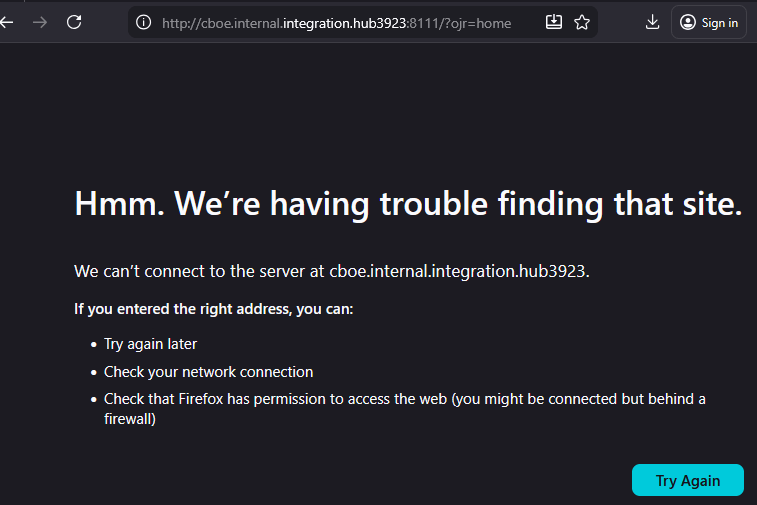
So far, we only ordered a work item to be delivered: create a new CBOE Oracle GoldenGate deployment. We didn't specify any technical data: the GoldenGate version, the Microservices architecture, the binaries location, the ports, the number, or even the types of extracts or replicats. All that data is immaterial at this point and will be determined by the automation logic at run time. All that matters at this time is that we, a non-technical business user, requested Oracle GoldenGate to add a deployment that doesn't yet exist:
The next part is where conventional automation falls short, and hyper-automation starts to deliver results. An Ansible automation control node (CTRL+) polls the ticketing system every 60 seconds, begging for work. It does that around the clock, 365 days a year, no vacations or sick days ever.
Here is the part of the Ansible automation playbook that does the ServiceNow polling:
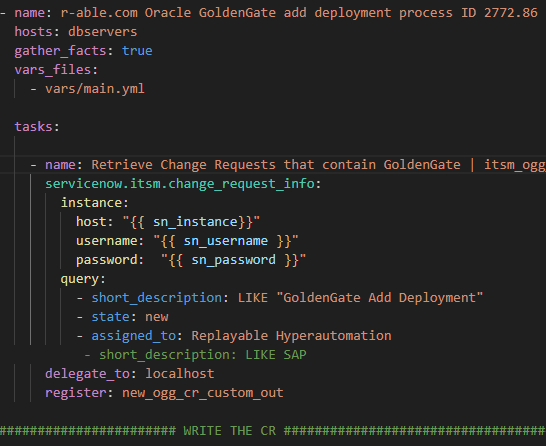
In 60 seconds or less, Ansible gets the new Change Request number and description from ServiceNow. This is the Ansible debug window with the details we just entered in the Change Request a few minutes ago.
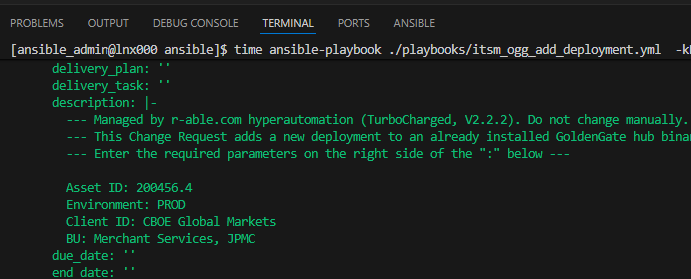
Now, the hyper-automation module has all the required data. It gets to work without delay. No JIRA, Kanban, Agile, or other excruciatingly boring meetings to sit through on this one. No approvals either. That is the power of hyper-automation. It is pre-approved, and when the acceptance criteria are met.
Next, Ansible creates all the required scripts, parameter and response files from internal JINJA2 templates. Templating is very important in the context of automation. It allows writing automation logic once and reusing it across different environments, technologies, assets, or vendors. The templating isnt currently possible in the un-automated GoldenGate implementation.
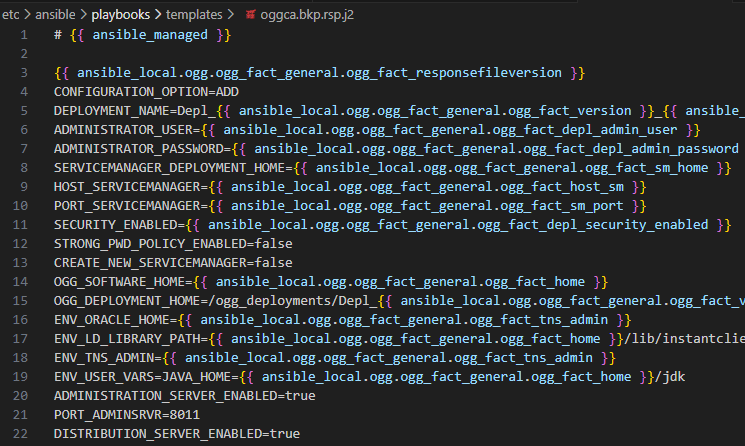
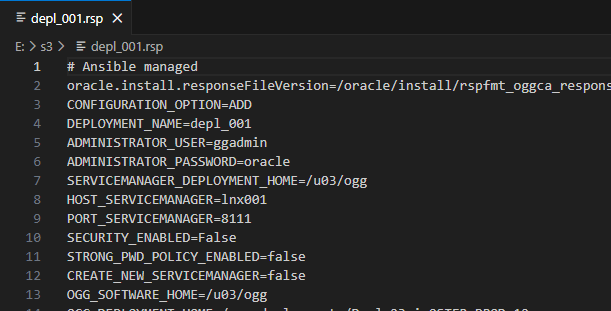
For example, here is a GoldenGate OGGCA deployment response file.
Here is another example of a JINJA2 template, an extract parameter file, in its simplest implementation.
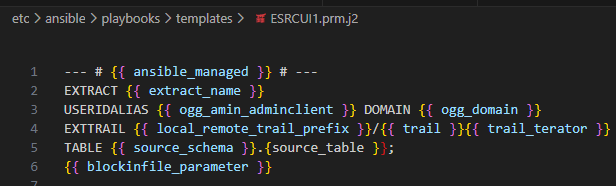
If we were to run the above-described RSP or PRM files as they are, with the variables missing, GoldenGate would fail immediately. OGG doesn't understand the curly brackets.
Luckily, Ansible does. So, if we were to run the deployment addition Change Request across 100 environments at the same time, Ansible automation would create a perfectly valid, custom response file for each technology/vendor/environment.
3. Ansible prepares the Oracle GoldenGate dynamic scripts created from the JINJA2 templates at run time
These are the tasks hyper-automation determines to be necessary for this deployment addition Change Request, based on the parameters we specified, plus the Ansible facts derived at run-time for each asset:
Task 1. Prepare the scratchpad for dynamic scripting
Task 2. Create GoldenGate shell or cloud CLI scripts, response files from JINJA2 templates
Task 3. Create GoldenGate Deployment addition RSP / OBEY scripts
Task 4. Create GoldenGate extracts parameter files for the Deployment addition
Task 5. Create GoldenGate replicat parameter files for the deployment addition
Task 6. Run the OGGCA GoldenGate Deployment addition utility
Task 7. Run the GoldenGate extracts addition OBEY scripts
Task 8. Run the GoldenGate replicats addition OBEY scripts
Task 9. Cleanup the scratchpad S3 bucket, document, and log new knowledge
The tasks are executed on behalf of and are part of the master Change Request we opened. These are the stages of the CR we have opened:

Here is an important note. We only opened one Change Request. If we opened a thousand or listed a thousand assets to add to a deployment, the automation would have done the job just as quickly. Try that with a team of DBAs and see how many years that will take!
4. Hyper-automation actually runs the nine ServiceNow tasks on behalf of the master change request CHG0030957
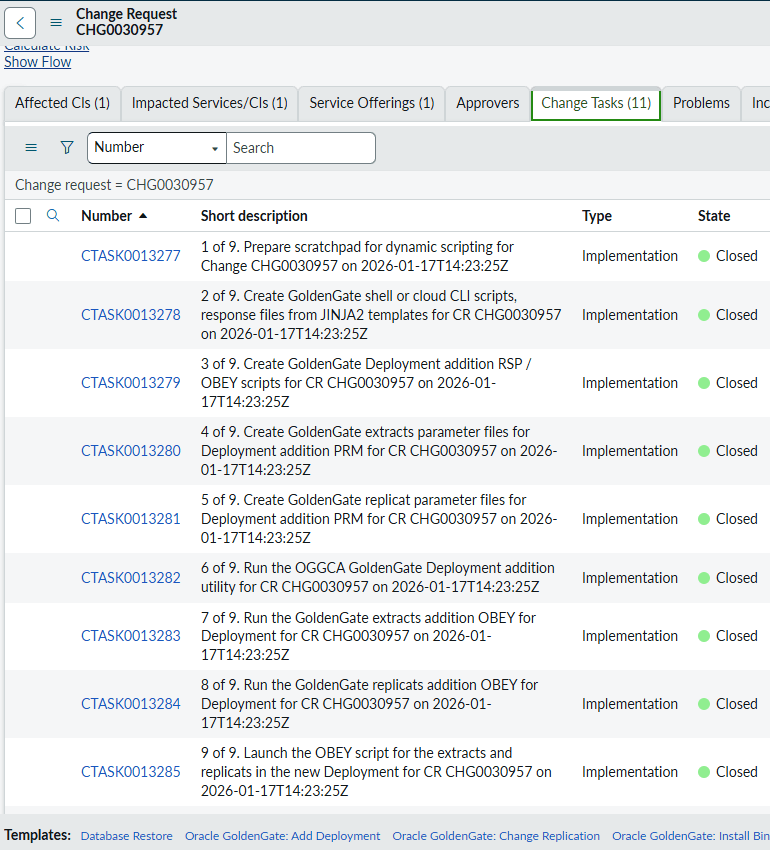
The same tasks would also have been done in the same order by a Database Administrator. Would have taken at least a week, with a few problems or blockers along the way and a few errors. Nothing can be done about that. To err is human. To work is computer-like.
In the case of hyper-automation, this demo took only 4 minutes 26 seconds to deliver. Please watch the two screen capture sessions below with a live commentary.
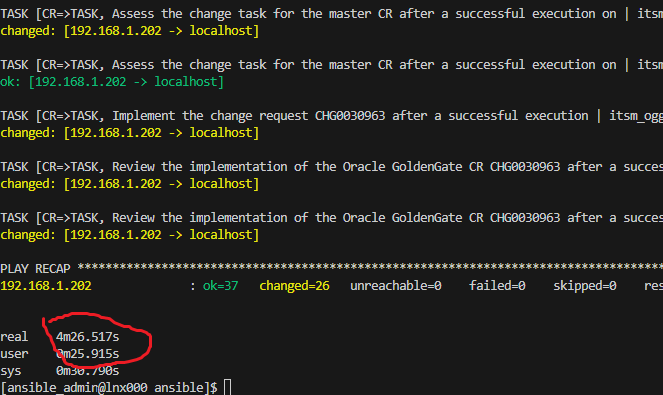
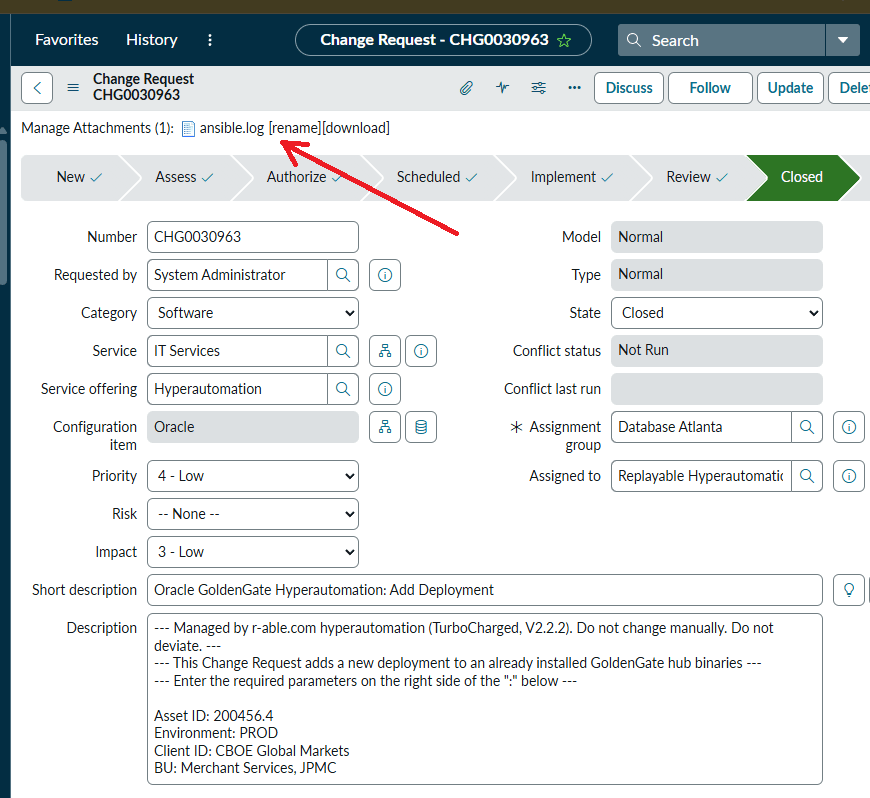
So, we opened a Change Request in ServiceNow, and that was it! We haven't lifted a finger to actually deliver the change. Yet, hyper-automation executed the right steps, on the right assets, in the correct sequence, in parallel; it even kept documenting each step in ServiceNow by opening specific tasks and even uploading the technical execution logs, prior to closing the CR we opened:
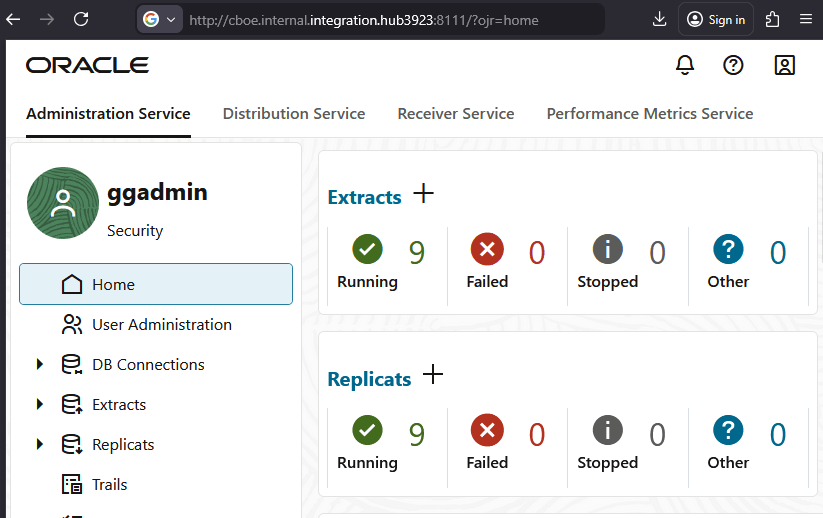
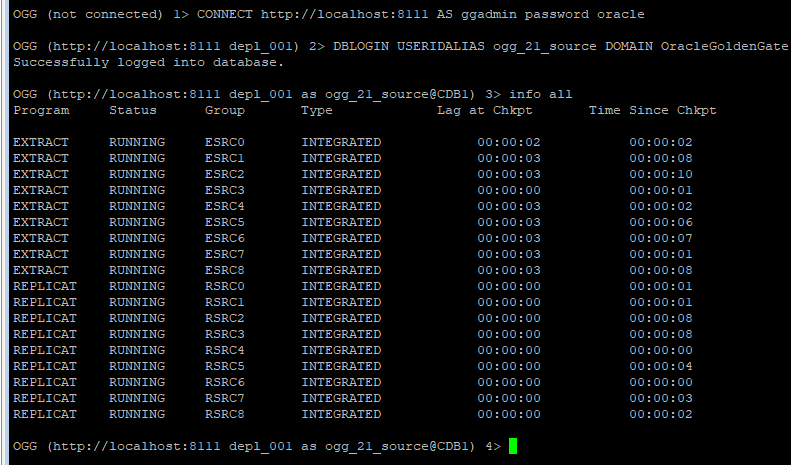
To test the results, let's refresh the GoldenGate deployment URL. Remember, we got the "404 URL cant be found" above? Hit the refresh button, and voila - the deployment we ordered is there, with the databases instantiated, the required CBOE extracts and replicats already running and even tested before the hyper-automated Change Request was closed:
The following are two screen captures of this very demo. Please enjoy.
The following is a demo of a GoldenGate ServiceNow incident auto-resolution